
Testing out the cool Virtual Earth integration in Windows Live Writer.
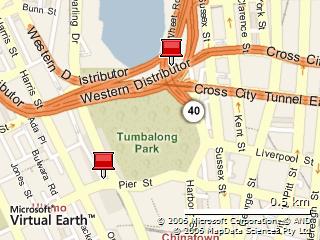
Testing out the cool Virtual Earth integration in Windows Live Writer.
The big day has arrived (finally!).
(PS: Writing this post from Windows Live Writer … hope it works better than Word 2007 B2)
I received an email from Bernard Oh the other night asking for some bloggin’ love to cover the new Student Day page on the TechEd 2006 website: http://www.microsoft.com.au/teched/student.
And it’s going to be is going to be an awesome day! Student Day is our opportunity to show the larger students community what we got!
There are going to be sessions by Michael Page, MS Recruitment, Microsoft Digital Lifestyle (Media Centre and XBOX 360), Windows Vista and Office demos and also Microsoft Expression (our interactive and creative suite, not to be confused with VS Express).
It’s going to be awesome with a great mix of content for all IT interests. Oh yeah! Definitely not, your typical Microsoft programming fest 101. Not to mention top notch prizes like an Intel-based laptop, XBOX 360, Smartphone etc to be won.
Just making a note of this awesome page: http://aspadvice.com/blogs/garbin/archive/2006/03/05/15591.aspx
Even after running it for over a fortnight now (I think?) I only just found out how to submit feedback about my experiences. Surprisingly, this beta isn't covered by the new Microsoft Beta Client tool that is used for Windows Vista. Instead they use a program called "Send a Smile".
As gimmicky as it looks and feels, it's actually pretty nice to use. It adds two little faces to your notification area – one happy and one sad:
When you click either one of these buttons it automatically takes a screenshot, gathers all the version information and platform data that they might possibly need, gathers some free-form text to describe the experience you just had, then sends it off to the product team. Of course, if the screenshot isn't perfect then you can refresh it, or if it's irrelevant you can choose not to send it.
I wonder if this approach to the problem is another case of Microsoft being the out-of-touch parent?
Of course – they couldn't stick to the nice simple "Send a Smile" name could they – under the covers it's called the "Microsoft Office Information Worker Feedback Tool".
For my inner web developer:
Writing:
(just noting the links here so I don’t loose them)
Stop using Vista and move to Windows 7.
About an hour ago I blogged about the fact that the Media Center packaged with Vista Beta 2 couldn’t even play an MP3 file smoothly (along with a number of other issues). It turns out that there seems to be a memory leak in the eshell.exe process (the Media Center) UI which keeps spiralling it into an obscene footprint and chewing up most of my CPU cycles before eventually crashing. I’ve found a partial workaround that at least lets the sound work for a short amount of time during this destructive period.
From http://windowsconnected.com/blogs/kristans_blog/archive/2006/06/05/2992.aspx:
Click Start, and then click Control Panel.Click “Hardware and Sound”.Click on “Audio Devices and Sound Themes”.Double click on the playback device you have installed in your computer.Navigate to the “Options” tab.Under “Exclusive Mode”, check “Allow applications to take exclusive control of this device”.Also check “Give exclusive mode applications priority”.Press OK.
Now when you are rockin’ to your
favorite tunes in Windows Media Player while doing some heavy data
crunchin’, you won’t miss a beat!
Now to try and work out where the issue is coming from and how to fix it. I almost have a working system again!
technorati tags:windows, vista, mediacenter, mce, mp3, eshell.exe
Over the last 4 to 6 ish years that Microsoft computing has been relatively stagnant, I've invested a lot of time in "branch solutions". For example, I don't use ASP.NET Webforms – I use MonoRail. As a result I've had an equivalent of master pages for years now. While this was a great solution at the time I made the decision, it now means I've strayed a bit too far from the pack to really know what's going on. Sure, I know the marketing pitches for all these new technologies almost backwards (I even present on some of them), however I don't use these new technologies. Well, it's time to see what's out there and spend a few weeks in "official land".
| What I was offered | What I used instead | What I'm installing now |
|---|---|---|
| Windows XP | Windows XP | Windows Vista |
| Office 2003 | Office 2003 + lots of addons | Office 2007 |
| ASP.NET 1.1 WebForms | MonoRail | ASP.NET 2.0 + Atlas |
| ADO.NET 1.1 | ActiveRecord | other options? |
| MSN Messenger | Trillian + Skype | Windows Live Messenger |
| MSIE6 | Flock + Firefox | Flock + MSIE7 |
I've also decided that it's time to start seriously kicking around with WPF, WF, WCF, WCS and all the other cool bits that are starting to fall from the heavens.
technorati tags:.net, wcf, wcs, wf, wpf, microsoft, office, windows, vista, monorail, activerecord, castleproject, asp.net
As listed on http://dot.net.nz/, I will be presenting both the Microsoft "Atlas" framework and the Virtual Earth platform in Auckland, Wellington, Christchurch and Dunedin later this month.
In this demo-centric presentation, Tatham Oddie will provide a developer’s overview of the Microsoft "Atlas" framework. This new Web development technology from Microsoft integrates client-script libraries with the ASP.NET 2.0 server-based development framework. "Atlas" makes it possible to easily take advantage of AJAX techniques on the Web and enables you to create ASP.NET pages with a rich, responsive UI and server-communication.
Following the recent addition of New Zealand mapping data to the Virtual Earth platform, Tatham will also demonstrate how you can integrate VE functionality into your applications using the support already available through the "Atlas" framework.
The talk dates/times are:
Unfortunately, if you are based in Christchurch I think you will miss out on the VE component of the talk as we will be under stricter time constraints so that people can get back to work.
The talks will be an updated (and slightly reorganised) version of the series I did along the east coast of Australia during April. You can get the resources for these talks from my previous post – "Updated Atlas Slides + Demos".
technorati tags:presentation, asp.net, atlas, virtualearth, new-zealand
I found this interesting link through a post that Frank Arrigo made recently – basically it traverses the HTML of a page and then turns it into a pretty little graph. At first glance I dismissed it as totally useless, but then I actually started analysing what it showed. In doing so, it colours the graph nodes based on what type of HTML element they represent (link, table structure, etc).
If you look at the graph for SSW's homepage you can see that it is dominated with a lot of red nodes. These nodes represent table markup (TABLE, TR, TD, etc) and are reflective of their heavy reliance on tables for markup. There are also a significant number of blue nodes representing links. The graph is a pretty good indication that Google will be sifting through a lot of redundant markup to find anything (the red nodes) and any PageRank earned will be diluted across a lot of pages (the blue nodes). The density of blue nodes (links) also indicates there are a lot of possible navigation paths from the homepage, which to me indicates that it's most likely overcomplicated and doesn't provide a clear banana for users.
In contrast, if you look at the graph for Unwired's homepage it's instantly obvious that their underlying markup is much cleaner. Granted, they don't have as much content as SSW, however for a homepage I think that's almost better. The lack of any red nodes (tables) indicates that a search engine will be focussing on more relevant markup and content. The concise number of blue nodes (links) indicates that there are a small set of clearly defined navigation paths from the homepage.
The graph of Fuel Advance's homepage shows a very few nodes at all, even though it has more content than the Unwired homepage. This can be attributed to a combination of a simpler layout (it's fairly bland at the moment – although in the process of changing) but more so to the fact that we eliminated a lot of redundant markup during the development phase. (Take a look at the source code of the page and see for yourself.) This is one of the main reasons why our PageRank is so high for such a small site that few people link to.
You can see a whole gallery of generated DOM graphs by looking at the websitesasgraphs tag on Flickr.
Update (9th June 2006): Added inline screenshots for quick references (but you miss out on the cool animations this way). Added link to gallery of graphs.
Update (12th June 2006): Added inline screenshots of the actual websites instead of just the graphs.
technorati tags:websitesasgraphs, CSS, webdev


 Tatham Oddie
You must be logged in to post a comment.